RELEASE NOTES - TIND 29.0.0


[Workflows - RDM]
An important enhancement to the RDM platform, allowing researchers to replace an existing dataset record with a new version through the submission workflow.
The new dataset version is a new record with a separate record ID; each record representing a different version of the initial dataset with it’s own unique DOI. Files and metadata are automatically copied when a new version is created, but can be fully modified as part of the versioning process.
Minor changes can still be applied on the current, latest version, giving researchers and curators the option to make adjustments to the metadata without triggering a new version. 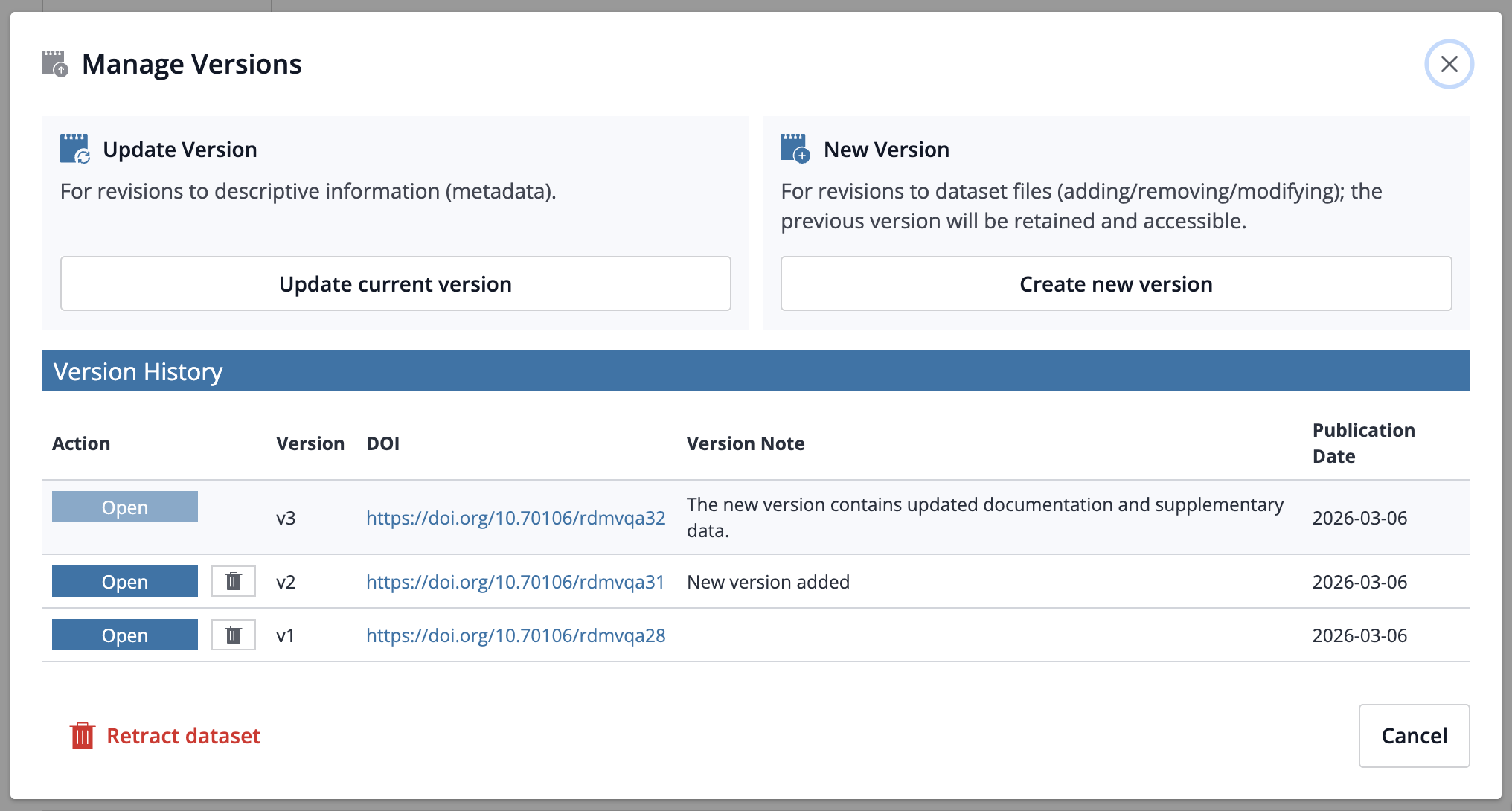
Publishing a dataset will mint and activate a DOI just as before, and when a new version is published DataCite is automatically updated with the required metadata, including pointers between the old and new versions.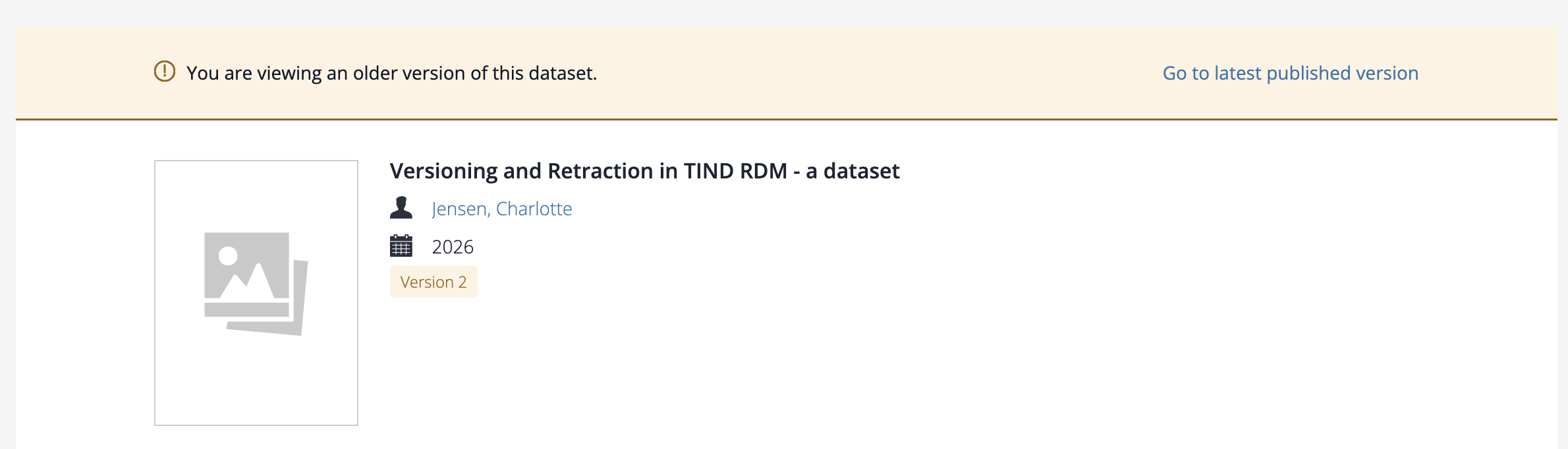
Occasionally, a dataset needs to be retracted, meaning that it will no longer be available through it’s persistent identifier (PID). This only occurs when there are serious flaws or breaches in the data, and where replacing the dataset with a new version is not sufficient, as it’s important to ensure that the data is no longer publicly available.
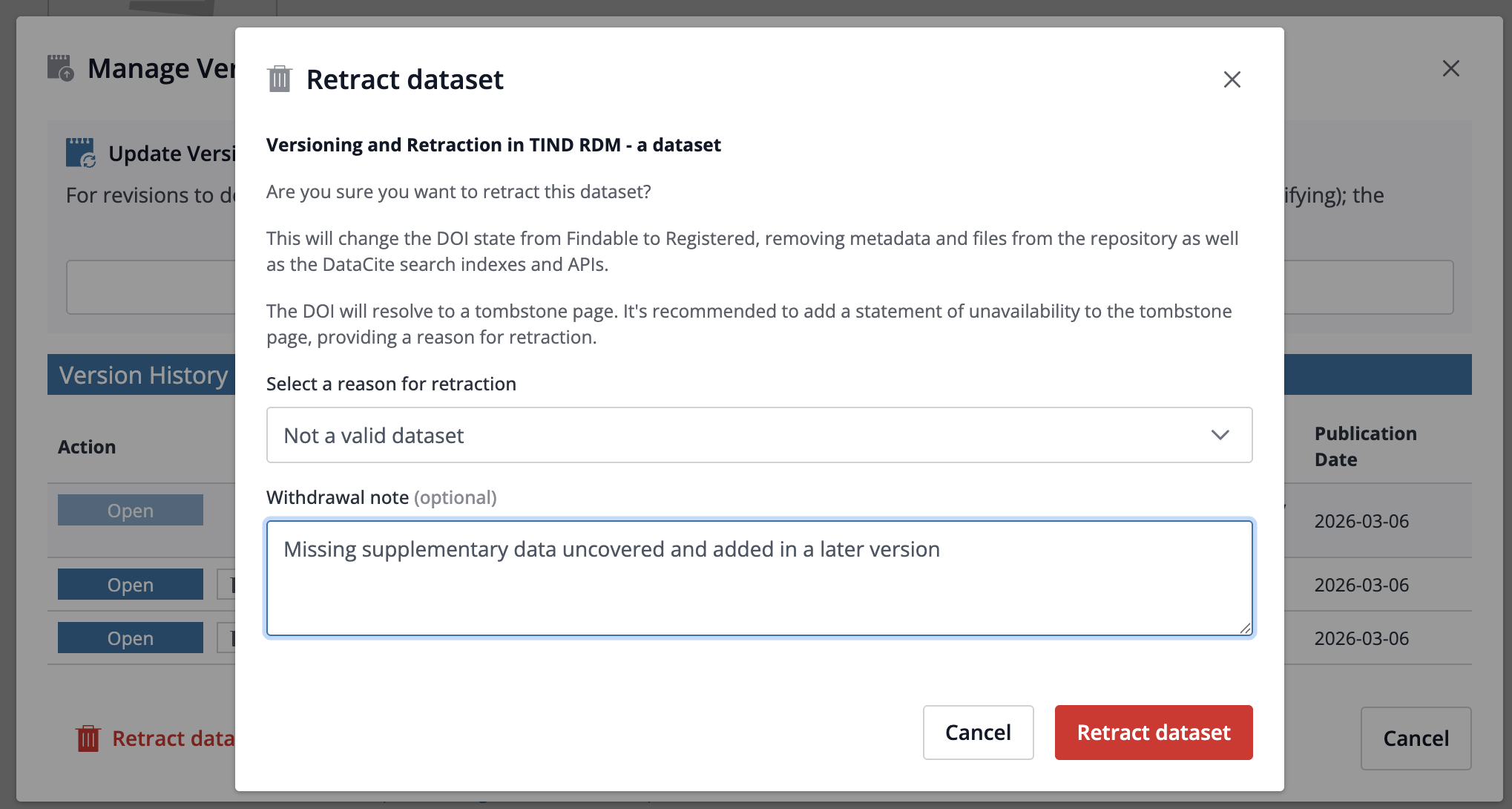
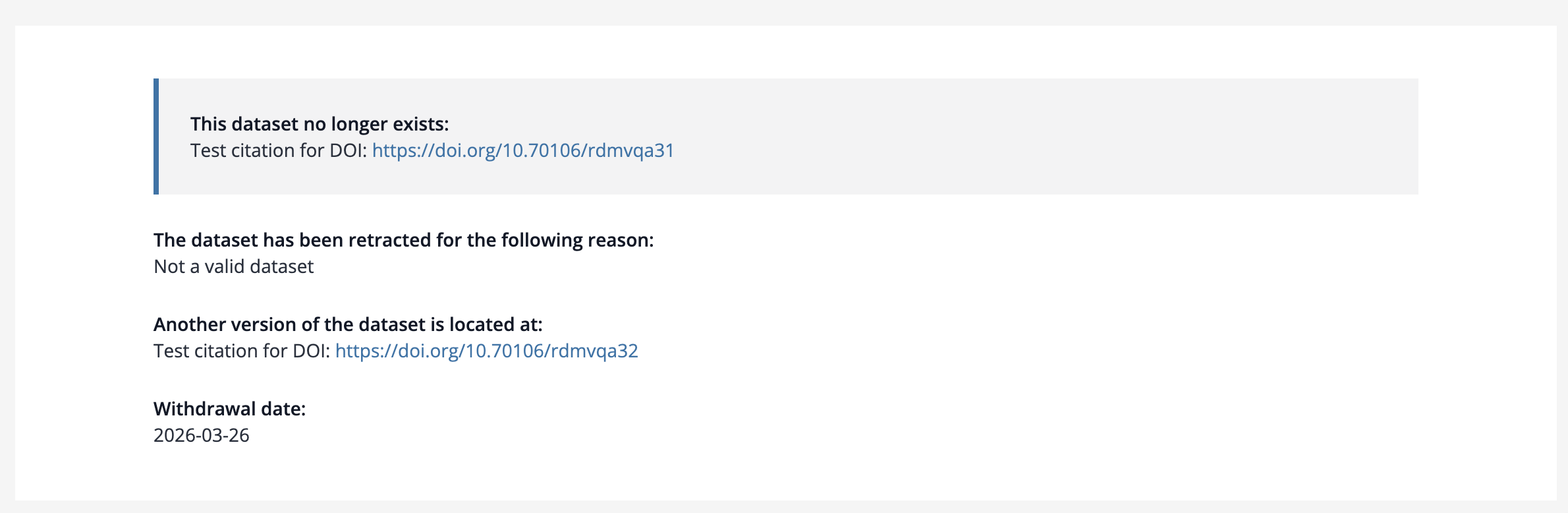
When a researcher requests a retraction, the curator or administrator will find a Retraction action on the Versions modal on the dataset Detail View, as well as in the Review Submission Dashboard. This triggers a workflow that will un-publish the dataset in the repository and render a tombstone page when the dataset DOI is visited.
[PDF Viewer - IR/RDM]
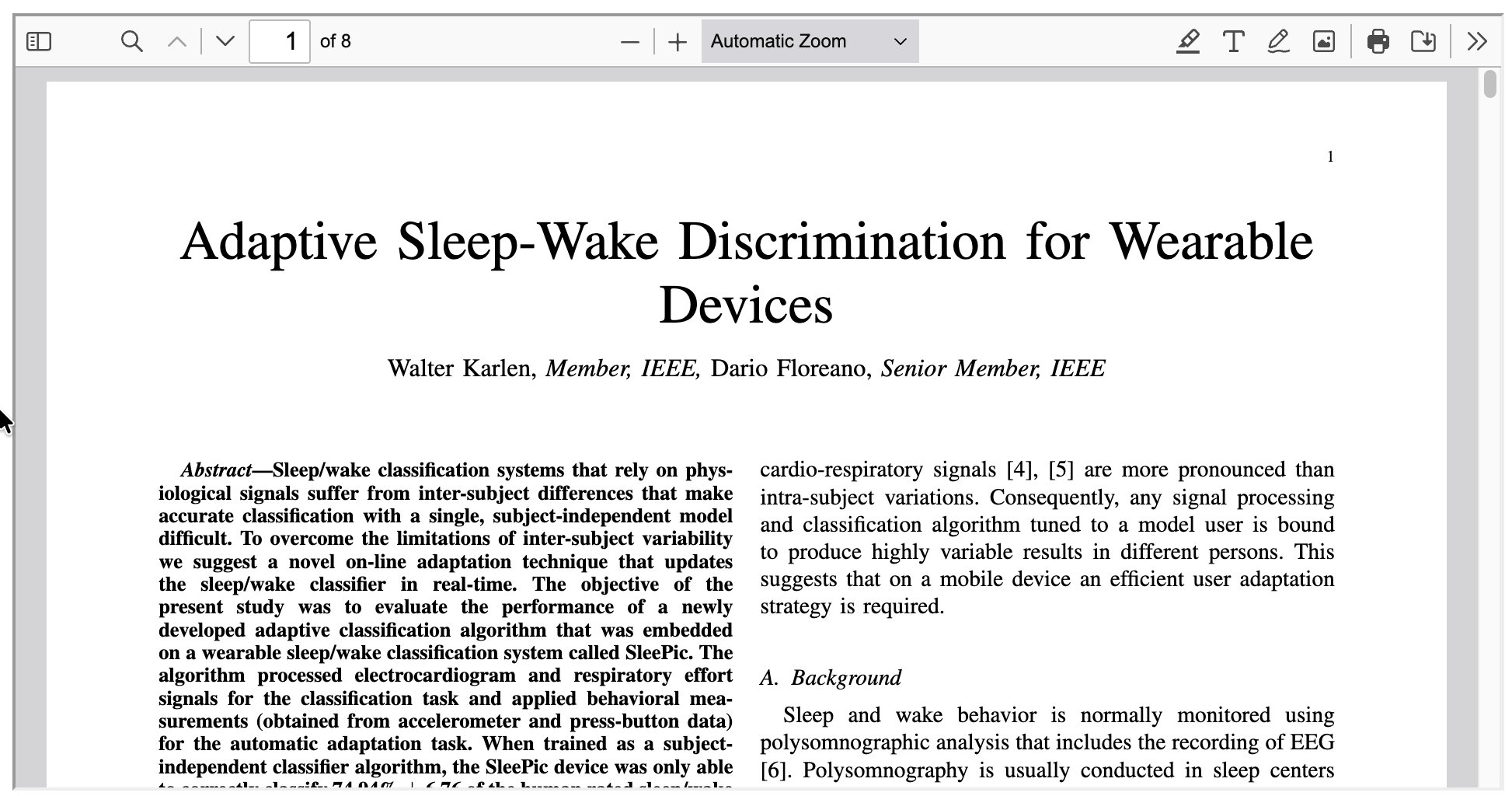
The PDF viewer has been updated to improve accessibility. This update also shows the PDF viewer in light mode, and additional annotation functionality. The page selector sidebar is now collapsed to display the full page view.
[Media Viewers - DA]
Some OCR files were not being processed despite the pre-processing performed on the image to reduce image size ahead of OCR processing. Now, if an image cannot be OCRed after the intial compression, the system will now retry with a lower resolution to enable OCR on even more files.
Previously, blank OCR files were being generated attached to records for images where no text was extracted. This will no longer happen, and TIND will clear empty OCR files from your system post-release.
[Metadata - IR, RDM, ILS]
More metadata fields have been added to the RIS and Endnote export formats:
Author/Corporate author (110, 710)
Imprint (264)
URL (856)
Content type (336)
[Statistics / ILS, DA, IR, RDM]
AI Agent Overview reports were recently activated for all users of TIND Analytics. TIND Analytics is using the platform Matomo, and this is how Matomo describes the AI Agent Overview reports:
AI Agent Over Time and Overview report is available and provides a high-level summary of traffic from both AI agents and human visitors that access your website. Matomo identifies these requests and tags the visits as AI agents or humans.
Go to AI Agent OVerview report - Matomo to learn more and TIND Analytics to get started.
[Accessibility- DA, ILS, IR, RDM]
This release includes a broad set of accessibility enhancements aimed at improving keyboard navigation, screen-reader support, and clearer page semantics across major UI areas.
Key improvements include:
The Action Bar can now be configured to include a link button for requesting remediation for a specific record. The button can be configured to either open and send an email, or to direct the user to a URL where further information can be added.
Front-page markup updates to ARIA parent/child role relationships to ensure validity for assistive technologies.
Removal of incorrect presentational roles in header menus.
ARIA labels added to mobile main menu and hidden front-page search submit button.
Improved assistive technology compatibility to both the simple and advanced search page components by adding or updating roles and landmarks, applying correct ARIA labels, and other interface improvements.
Collection name header
Facets
Date Range facet
Fulltext toggle
“Show more/Show less” links
Options
Collections filter
Formats selector
Implemented correct heading levels and ARIA labels for collapsible section headings, now rendered as buttons.
Added missing table headers in Files table.
Action Bar > Formats
Exposed the correct expanded/controls states in the “Formats” action list.
Improved contrast in Format View/Download buttons.
Added visual labels in the Statistics section for “Metric” and “Interval“ selection options.
Added ARIA labels to citation style and language dropdowns in the Cite action.
The PDF viewer has been updated to the latest version, which includes several accessibility improvements.
The image viewer has been updated to the latest version, which includes several accessibility improvements.
Submission Form changes are primarily applied on the latest submission form versions. If you are not on the latest version, your submission forms can be migrated.
Added proper heading semantics to Submission form headings.
Increased contrast on asterisk.
Rewording of the File Manager Upload area usage information to improve non-mouse usage.
Improved contrast, labels and header levels on the Collections Browse page.